

It’s Christmas season, but I’m thinking beyond that to January, the self-help season. I’ll be teaching a two-night mini workshop for Highlights Foundation about Self-Publishing. Click the image for registration details.

The five-book Write a Book for Kids series will go live on most platforms on January 6th. If you didn’t get them through the Kickstarter, then look for them in January.

Cleaning Up Metadata
I wish I had something new and exciting to talk about today, but it’s metadata again. Again. Always.
I recently talked with my rep at IngramSpark. They will not share exact information about where your sales come from, but after looking at my account, she did exclaim that a LOT of my sales were from Barnes & Noble. Really?
I had no idea it was such an important account for me. Which led me to check whether my books were available on BN. Um. One-third of the listings have problems. They fell into these groups:
Not listed. I checked by ISBN and many were simply not listed. Checking around, some Reddit threads talk about BN not listing every book, but choosing those with good sales records. OK. But some of my best sellers weren’t listed either.
Missing covers. Sometimes, the listing was present but the covers didn’t show up. I’ve written about metadata studies which show that when a cover image is present, sales are 51% higher. This is a serious lack of data. When you check your book, be sure to allow time for the images to load, because if your internet connection is slow, it can take some time.
Versions not connected. Sometimes, the paperback and hardcover versions were present, but they weren’t connected. If a customer has a preference on format, it’s difficult for them to find the alternate version unless they have the ISBN. Again, a serious problem.
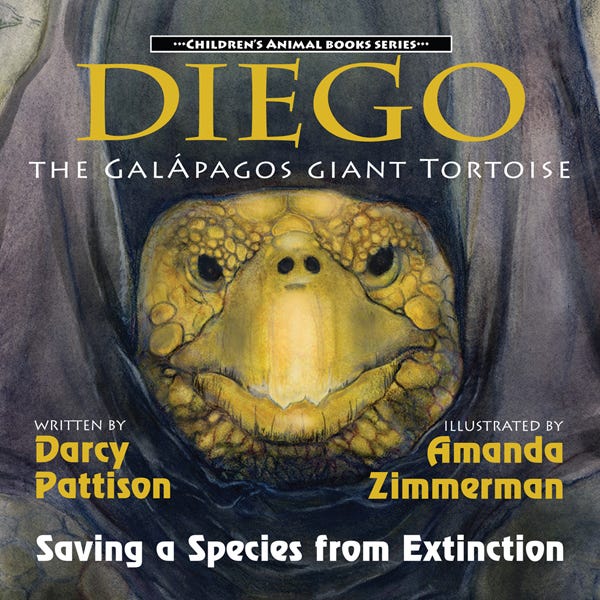
Subtitles messed up. Here’s something I’ve learned the hard way. Only use standard characters in titles and subtitles! I have a couple titles with Spanish words that should be accented in some way. For example, for Diego, the Galápagos Giant Turtle, the second A in Galápagos has an accent. But if you include that accent in metadata when uploading to Ingram or Amazon, they will replace it with basic text. The result varies depending on what they use to replace it. It’s never right. Also, I tend to use all CAPS on titles and Mixed Case Capitalization on Subtitles. I need to stop doing that! I’m trying to make sure everything is in a standard format. Yes, these things matter because it makes it harder to surface a title with a search.
Missing audiobooks. I go through InAudio (formerly Findaway) for audio. To solve these issues, I’ll have to go to that platform and make sure everything is in order. For a while, Findaway was owned by Spotify, and they tried to combine the listings. I think a couple titles were lost in this shuffle, so I’ll have to upload them onto the new InAudio platform/dashboard.
Fixing Metadata Problems
Author Aaron Shepard, a guru on all things Amazon, has long said that you simply need to update metadata, and it will refresh the metadata on Amazon or other sites reached through Ingram. Even adding or subtracting a comma could force an update of your metadata.

When I tried this, he was correct. Most errors could be corrected by simply updating the metadata on the backend dashboard. A few stubborn updates though, went through my Ingram rep to be corrected. OR, you can send the information directly to BN: publisherauthorinquiry@bn.com
Limit your requested to only one content element per email, such as ISBN, cover, etc.
After I finish this blog post, I’m going back in to double-check and make sure everything is listed correctly. I’ll also check Bookshop.org, the independent online bookstore to make sure listings from Ingram are correct there.
Ask for BN Reviews
This also reminds me to ask for BN reviews. They aren’t as important as Amazon reviews, but as long as you’re checking BN metadata, you should also focus on this. If a person adds a Amazon review, it’s simple to copy and paste that same review to BN.com. The key is that you must ask!
Automatic Metadata Checks
If you have the budget for it, there are services that will automatically check your metadata and give you updates on the status. Firebrand’s Eloquence on Alert is such a service, starting at $49/month for 25 titles checked daily. They offer a 30-day trial.
Upload Metadata Early
From my visits with my rep, I also realized that even for indies, it’s important to provide metadata early. Traditional publishers might upload data 4-12 months before a book is published. For me, the rep was already looking for 2026 books in November to see if anything should be featured. It’s a reminder that earlier is better! I’m working hard to get all spring books loaded up this week to ensure maximum visibility.
There’s nothing new here. We all know that metadata is important, it’s just that monitoring it is time-consuming and boring. Yep. Too bad. If your book isn’t listed for sale on BN.com—and other retailers such as Bookshop.org, ChristianBook.com, GooglePlay, Apple and so on—then you will not sell on those platforms! Just a listing doesn’t guarantee sales. But without a listing, I can guarantee that you will NOT sell. Go check your books listings! What did you find?
I’m curious (and concerned) that your Ingram person isn’t sharing exact sales numbers from the various outlets. Why?
Also, as a complete newbie, this is my concern about aggregators in going wide. I upload my stuff to Ingram or Draft to Digital, but I know they’re not watching for the kinds of things you’ve discovered. I’m wondering if we might be better served by choosing a smaller number of platforms and managing them directly?